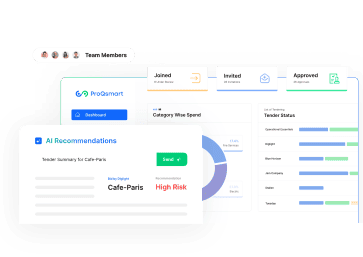
Automatic bid comparison is the process of using artificial intelligence to extract, normalize, and analyze line-item data from disparate vendor quotes (PDFs, Excel, Word) instantly. Instead of spending hours manually copying data into spreadsheets, auto bid comparison software digitizes messy documents, identifies scope gaps, and highlights the best value across hundreds of line items in seconds.
For procurement teams in construction, manufacturing, and engineering, the “Bid Evaluation” phase is often a bottleneck. When a complex Request for Quote (RFQ) involves a Bill of Quantities (BOQ) with 500+ line items, the sheer volume of data can paralyze a team. This guide explores how automatic bid comparison transforms this chaotic process into a strategic advantage.
The Problem: Why Manual Bid Comparison is “Excel Hell”
If you are a procurement manager or a quantity surveyor, you know the pain of “Excel Hell”. You send out a complex RFQ for a new project—perhaps an electrical fit-out or a raw material contract—and the responses start trickling in.
The problem isn’t the lack of data; it’s the format of the data.
Fragmented Formats: Vendor A sends a neat Excel file. Vendor B sends a scanned PDF. Vendor C sends a Word document with a different table structure.
Manual Data Processing: You spend the next three days copy-pasting unit prices, descriptions, and quantities into a master spreadsheet just to see an “apples-to-apples” comparison.
The “Fat Finger” Risk: Manual entry inevitably leads to errors. A missed zero or a misplaced decimal point can skew the entire budget.
Scope Gaps: In the rush to manually align rows, it is easy to miss that Vendor B completely skipped line items 45 through 50. This leads to artificially low bids that turn into expensive change orders later.
Traditional procurement processes suffer from these inefficiencies, often wasting 50% of a buyer’s time on administrative tasks rather than strategy. Auto bid comparison is the solution to this administrative drain.
What is Automatic Bid Comparison?
Automatic bid comparison is the “Intelligence Layer” that sits between the messy reality of vendor documents and your strategic decision-making. It is not just about digitizing a document; it is about understanding it.
ProQsmart’s platform uses Agentic AI and Semantic Intelligence to read documents like a human would, but at the speed of a machine. It ingests unstructured data—whether it is an email body, a PDF attachment, or a spreadsheet—and structures it into a unified, interactive dashboard.
How ProQsmart’s Auto Bid Comparison Works
Ingestion: You simply drag and drop the vendor’s quote (in any format) into the platform.
Extraction: The AI uses Optical Character Recognition (OCR) and Natural Language Processing (NLP) to identify tables, line items, unit prices, and total costs.
Semantic Matching: This is the game-changer. The AI recognizes that “500HP Electric Motor” from Vendor A is the same item as “Motor 500 HP 3PH” from Vendor B, automatically aligning them in the comparison table.
Normalization: The system handles different units of measure (e.g., per unit vs. per 100) and currencies, converting them to a single baseline for accurate comparison.
Can AI Really Read Messy PDFs and Excel Files?
Yes. One of the biggest barriers to adopting automatic bid comparison tools is the belief that vendor documents are too messy for software to handle.
ProQsmart’s Document Intelligence is specifically trained for procurement. It can:
Extract data from scanned or handwritten PDFs.
Handle merged cells and complex table formatting.
Process BOQs with over 10,000 line items without lag.
Convert a 450-line BOQ from a PDF into structured data in roughly 90 seconds, a task that would take a human 6 hours.
By automating the ingestion process, you eliminate the manual “grunt work” and move straight to analysis.
Key Benefits of Automated Bid Analysis
Switching to auto bid comparison offers immediate, quantifiable value to the procurement function.
1. Speed: From Days to Minutes
The most obvious benefit is time savings. Reducing the bid evaluation cycle from 40 hours to just 5 minutes allows procurement teams to handle 3x more projects with the same headcount. This efficiency accelerates project timelines and prevents bottlenecks.
2. Accuracy and Scope Gap Detection
A major risk in construction and project-based procurement is the “low-ball” bid that hides missing items. ProQsmart’s AI automatically flags scope gaps. If Vendor B fails to quote for specific line items, the system highlights these missing cells visually. This prevents you from awarding a contract to a vendor who appears cheapest only because they have incomplete coverage, saving you from 25-40% cost increases due to change orders later.
3. Split Award Optimization
Often, no single vendor has the best price for every item. One supplier might be cheaper for lumber, while another is cheaper for drywall. Automatic bid comparison allows for “Line-Item Optimization.” The system can automatically “cherry-pick” the best price for each line item across all suppliers. This optimization typically yields an additional 3-7% in savings compared to awarding the full package to a single vendor.
Visual Intelligence: Heatmaps and Outlier Detection
Data is only useful if it is readable. Auto bid comparison tools transform raw numbers into visual insights using Price Heatmaps.
Color-Coded Analysis: The dashboard colors cells based on relative price. Dark green indicates the lowest price, while dark red indicates the highest.
Pattern Recognition: You can instantly spot pricing strategies. Is one vendor consistently “red” on labor but “green” on materials? The heatmap reveals this in seconds.
Outlier Detection: The system automatically flags prices that are more than 20% above the average, alerting you to potential misunderstandings of the scope or price gouging.
Senario: Saving $45k on Subcontractor Selection
Consider a scenario involving a construction firm selecting an electrical subcontractor.
The Challenge: The buyer received bids from 3 different subcontractors for a complex scope involving 450 line items.
The Traditional Approach: It would have taken 3 days of Excel work to align these bids manually. In the rush, the buyer might have missed that “Bidder B” was missing 12 critical items.
The Auto Bid Comparison Result: Using ProQsmart, the analysis took 20 minutes. The heatmap immediately revealed the missing items in Bidder B’s quote.
The Outcome: The buyer avoided a potential $45,000 change order and awarded the contract to a fully compliant bidder at a competitive price.
Beyond Comparison: Historical Price Benchmarking
True commercial intelligence goes beyond comparing current bids against each other; it involves comparing them against history.
ProQsmart utilizes a Vector Database to store every awarded price from your past projects. When you run an automatic bid comparison, the system doesn’t just look at the active vendors; it looks at your institutional memory.
Price Creep Alerts: “Current bid $1,150 is 12% above your last purchase of this item ($1,020) 8 months ago”.
Market Trend Analysis: The AI can discern if a price increase is a general market trend or specific to this vendor, giving you data-backed leverage for negotiations.
Conclusion: Stop Typing, Start Sourcing
In a modern procurement environment, paying skilled professionals to copy data from PDFs into Excel is a misuse of resources. Auto bid comparison frees your team from the administrative burden, allowing them to focus on what matters: strategy, negotiation, and supplier relationships.
With ProQsmart, you can turn 500+ line item bids into decision-ready insights in minutes. It is time to transform your procurement from a back-office function into a strategic engine.
FAQs
1. How does automatic bid comparison handle different currencies?
ProQsmart’s auto bid comparison engine supports over 150 currencies. It uses daily exchange rates from the ECB/Federal Reserve to normalize all bids into your preferred reporting currency. You can also “lock” exchange rates at the time of RFQ publication to eliminate fluctuation risk during the evaluation period.
2. Can ProQsmart compare scanned PDF quotes?
Yes. The platform utilizes advanced Document Intelligence (OCR + NLP) that can extract data from scanned PDFs, images, and even handwritten documents. It identifies tables, descriptions, and prices, converting them into structured data for the comparison table.
3. What is the difference between line-item optimization and total cost analysis?
Total cost analysis compares the “bottom line” sum of each vendor’s bid. Line-item optimization (or split award optimization) looks at each individual item across all vendors and “cherry-picks” the lowest price for each. This method often identifies an additional 3-7% in savings by splitting the award among multiple efficient suppliers.
4. Does the system flag missing items in a bid?
Yes. ProQsmart includes Scope Gap Detection. The AI compares the vendor’s submitted bid against your original RFQ line items. If a vendor fails to quote for a specific item, the system visually highlights the gap, ensuring you don’t accidentally award a contract based on an incomplete (and artificially low) total price.
5. How accurate is AI in extracting data from complex BOQs?
ProQsmart uses a dual-validation system to ensure high accuracy. When AI extracts data, a secondary algorithm cross-checks it for consistency. For financial data like unit prices and quantities, the system requires 99.9% accuracy or flags it for manual review, ensuring “hallucinations” do not affect your financial decisions.
6. Can I export the comparison table to Excel?
Absolutely. While ProQsmart provides a powerful web-based dashboard with heatmaps and analytics, you can export the full comparison table, including all line items, normalized prices, and savings calculations, into Excel, CSV, or PDF formats for external reporting or offline analysis.